
TunaPro Tool V3.9 - Free Samsung Exynos FRP Bypass Tool [2026]
Labels: UnlockTool, FRP Tool, Samsung
What is TunaPro Tool V3.9?
TunaPro Tool V3.9 is a Windows-based Android servicing application focused on Samsung Exynos FRP bypass, with shorter secondary support for Xiaomi, MediaTek and Qualcomm devices. It first appeared in mid-2026 and reached V3.9.0 by late June 2026. The main reason people download it is that Samsung Exynos FRP removal is fully free on supported devices - there are no activation credits deducted and no paid license required for the Exynos function itself. Registration is free and no OTP or email verification is required.
The official site is tunaprotool.com. Always download the newest version. Third-party mirrors and Telegram groups frequently circulate older or modified builds, so prefer the official source or the links published on well-established GSM blogs that document the same version string.
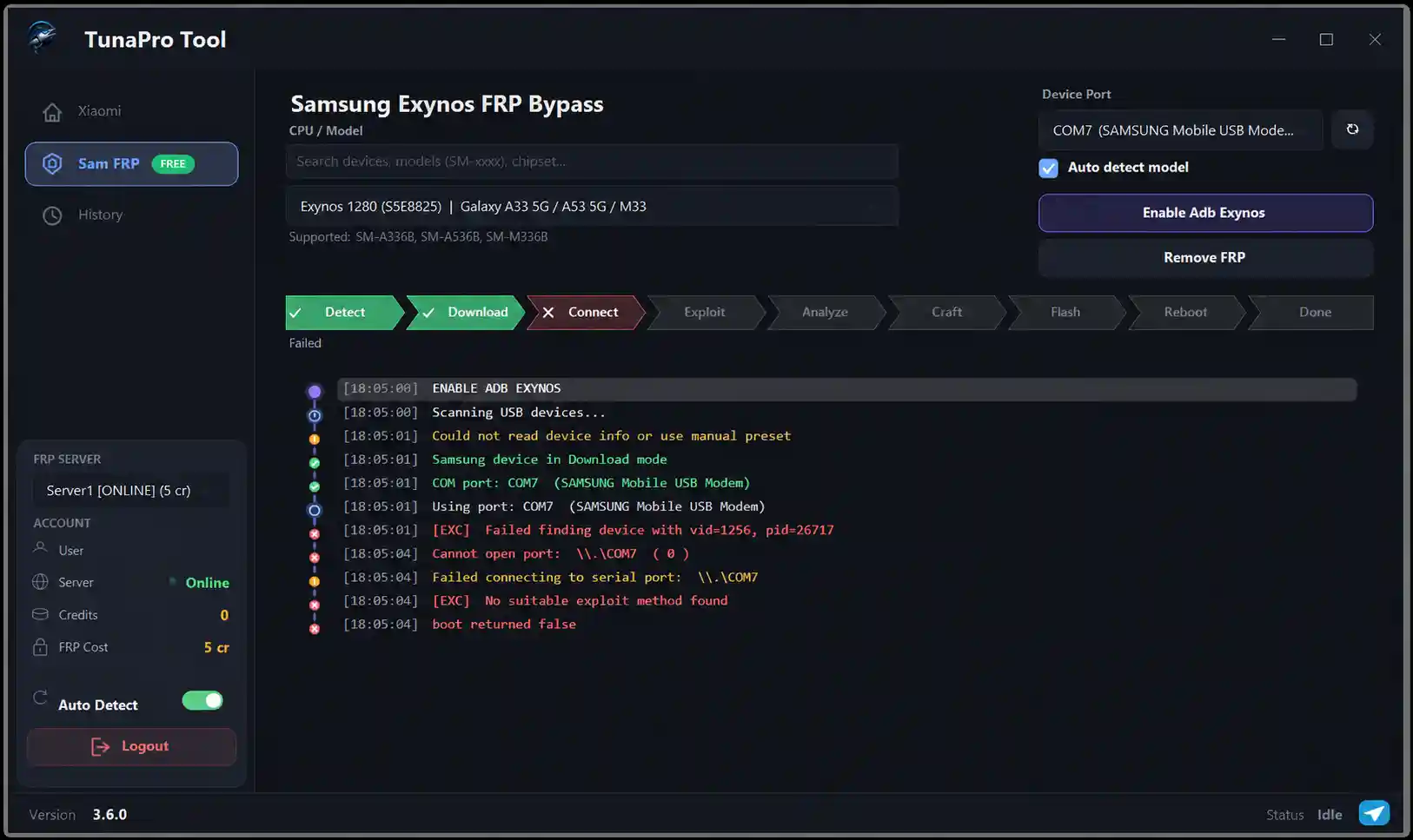
What's New in V3.9.0
Version 3.9.0 brings a cleaner interface alongside expanded chipset compatibility. Highlights:
- Samsung Exynos FRP bypass (free): Covers Android 14, 15 and 16 across a wide range of Galaxy models on Exynos chipsets. The tool enables ADB through Download Mode and then removes the Google account lock on the active ADB channel.
- Xiaomi Mi Account bypass (paid/credit): Removes Mi ID and Google FRP on Mi, Redmi and POCO devices through a one-click-style process, but consumes credits.
- Screen lock removal: Clears pattern, PIN and password locks on many Android 10 through Android 15 devices without wiping personal files on supported models.
- MediaTek and Qualcomm functions: Available as secondary functions; credit requirements vary.
Accounts start with zero credits. Basic device detection and diagnostic functions can be used without burning credits, but Xiaomi Mi Account bypass requires a separate purchase.
Features
- Free Samsung Exynos FRP bypass - no credits, no activation, no hidden cost for the supported Exynos range.
- Built-in ADB enable function that pushes a partition-level operation to the device in Download Mode.
- Lightweight Windows application with a focus on Exynos devices.
- Registration is free with no OTP or email verification required.
- Xiaomi, MediaTek and Qualcomm support as additional functions with their own credit rules.
Supported Devices
The headline support is Samsung Exynos devices across a broad model range including Galaxy A, M, S, Note, J and A series on Exynos 7570, 7870, 7880, 7884, 7885, 7904, 8890, 8895, 9610, 9611, 9810, 9820, 9825, 850, 980, 990, 1280, 1330, 1380, 1480, 1580, 2100, 2200, 2400 and 2500 chipsets. If your Samsung device is Exynos-based and stuck on FRP, check the tool's supported list for your chipset before expecting the free function to run.
Newer Exynos chipsets (1280, 1380, 1480, 2100, 2200, 2400, 2500) are the ones most in demand on repair benches today, and V3.9 is one of the few genuinely free options that covers a meaningful part of that range.
How to Use / Install
Step 1 - Register: Go to tunaprotool.com, click Register / Create Account, enter any email address, a username and a password. No OTP is sent.
Step 2 - Download and extract: The latest version is V3.9.0. The file is password-protected; the password is listed on the download page. Extract using WinRAR or 7-Zip. Do not run the tool from inside the archive.
Step 3 - Drivers and permissions: Install Samsung USB drivers. Restart the PC. Right-click the TunaPro Tool V3.9 executable and select Run as Administrator.
Step 4 - Enable ADB and bypass FRP (Exynos): Connect the locked Samsung device via USB. Open TunaPro as administrator and log in. Select your Exynos model, then click Enable ADB. Once ADB is enabled, click Samsung Exynos FRP Bypass.
Step 5 - Credit operations: For functions that consume credits (Xiaomi Mi Account bypass, some MediaTek/Qualcomm functions), understand the credit cost before starting.

System Requirements
- Windows 7, 8, 8.1, 10 or 11 (32-bit or 64-bit).
- Microsoft .NET Framework 4.8.
- Samsung USB drivers installed and recognized by Device Manager.
- A reliable original USB data cable.
- Administrator rights.
- An account on tunaprotool.com (free, no OTP).
FAQ
Is TunaPro Tool V3.9 completely free? The Samsung Exynos FRP bypass function is completely free. Xiaomi and some MediaTek/Qualcomm functions require credits.
Why run as administrator? Admin rights are required to communicate at the level needed for ADB enabling and FRP removal.
Where should I download it? Use tunaprotool.com or a trusted blog that documents the same version string.
Notes
- The Samsung Exynos FRP function is the genuinely free part; some functions are credit-based.
- Always download the newest version listed.
- Disable real-time antivirus during extraction if needed; false positives are common.
- If the tool says a chipset is not supported, your device may be on a newer Exynos series.
Download Link
TunaPro Tool V3.9 - Official: tunaprotool.com. The file is ZIP/RAR, password-protected. Archive password: easyflashing.com.
Download TunaPro Tool v3.9
Version: 3.9.0
Platform: Windows (64-bit)
License: Free trial; credits required for FRP operations
| Host | Link |
|---|---|
| Official Website | tunaprotool.com |
| TFT Tool Page | Download v3.9 |
Thanks for reading: TunaPro Tool V3.9 - Free Samsung Exynos FRP Bypass Tool [2026], Sorry, my English is bad:)