
Tenorshare iAnyGo V3.4.6 - GPS Location Changer for iOS & Android [Free Trial][2026]
Labels: ICloud Unlock
Tenorshare iAnyGo is a virtual GPS location changer for iPhone and Android that lets you spoof your position and simulate movement without leaving home. The latest release, V3.4.6, arrived in July 2026 with better location stability and smoother teleporting for location-based apps and games. It works on Windows and Mac, plus there is an iOS app version, and it requires no jailbreak and no root.
What is iAnyGo?
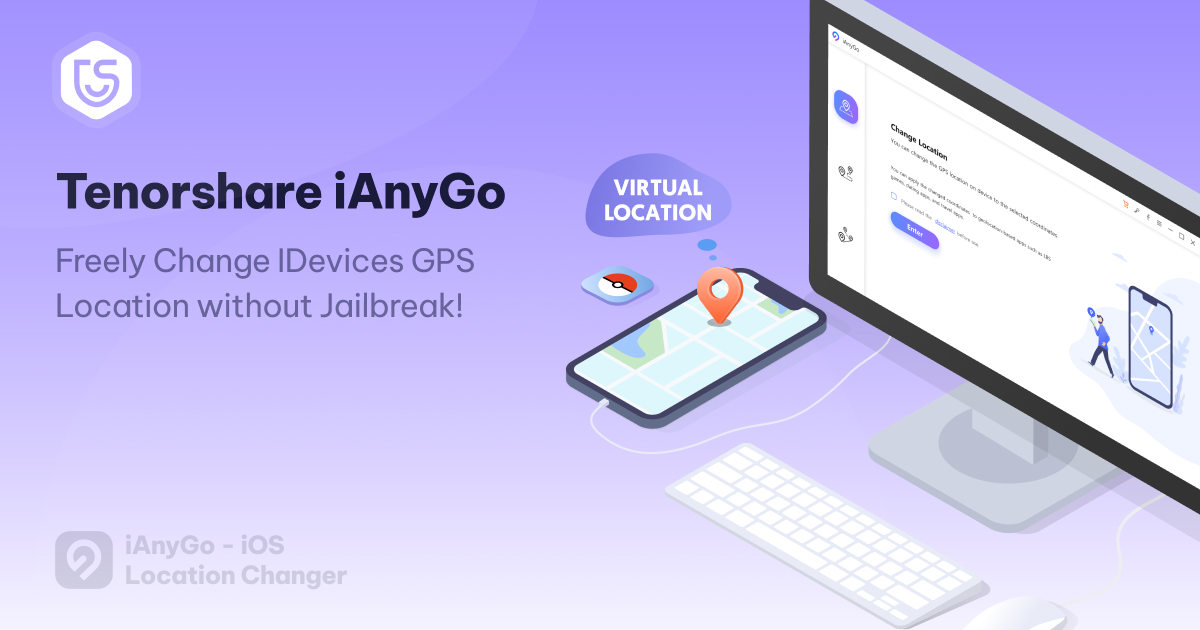
iAnyGo is a desktop (and iOS app) utility built by Tenorshare for one purpose: changing the GPS coordinates that a phone reports to other apps. You pick a place on the map or type an address or latitude/longitude pair, press start, and every location-aware application on the connected device — social apps, maps, dating apps and AR games such as Pokémon GO — sees the new position. Because the change happens at the software level, the phone does not need to be jailbroken on iOS or rooted on Android.
Beyond a simple one-click teleport, iAnyGo models realistic movement. Single-Spot mode walks the virtual position from a starting point to a destination along real road grids, Multi-Spot mode chains up to 24 waypoints (or unlimited points in straight-line mode) into a custom route, and Joystick mode puts a 360-degree direction pad on screen so you can steer the movement manually with the mouse, keyboard or an on-screen joystick. Movement speed is adjustable from walking pace up to driving speed so the simulation looks natural.
The tool also targets players and testers who need to manage risk. A built-in cooldown timer counts down between location changes, favorite routes and searched addresses are saved in history, and GPX files can be imported or exported to replay a prepared route. Tenorshare lists a SoftPedia 100% clean award for the product, and a single licence can drive up to 15 connected devices at the same time.
What's New in V3.4.6
- Smoother teleporting — jump-teleport functions were refined so switching between saved coordinates is faster and more reliable.
- Global location stability — location services were optimised across different regions for a more consistent result worldwide.
- Pokémon GO improvements — location performance specific to Pokémon GO gameplay was further optimised in this update.
- Improved verification — the verification process around location changes was reworked for a safer, more dependable experience.
- Fixes and performance — known issues were resolved and overall product stability was enhanced.
- Current platform coverage — the build targets the latest mobile systems, with Tenorshare advertising iOS 27 and Android 17 compatibility on the product page.
Key Features
- One-click location change — fake the GPS position of an iPhone or Android phone instantly by selecting any point on the map or searching an address.
- Single-Spot and Multi-Spot movement — simulate walking, cycling or driving between two points or along a custom multi-waypoint route with adjustable speed and loop counts.
- Jump Teleport mode — hop directly between marked coordinates or route nodes, useful for collecting several far-apart spots in seconds.
- GPS joystick and keyboard control — steer the virtual location in 360 degrees with an on-screen joystick, arrow keys or WASD while the movement runs automatically.
- GPX import and export — load a GPX route file from another tool or export your own tracks for later reuse, plus bookmarked favorite routes.
- Cooldown timer and history — a countdown reminds you not to change position too often, and every searched address is logged with a timestamp.
- Up to 15 devices at once — control multiple connected handsets from one interface, and switch between desktop control and the standalone iAnyGo iOS app.

Supported Devices
For Apple hardware, iAnyGo covers essentially the whole iPhone lineup — iPhone 18 Pro / Pro Max, iPhone 17 series, iPhone 16 / 16e, iPhone 15, 14, 13, 12, 11, XS / XS Max, XR, X, 8, 7, 6s, SE and earlier models. On iOS versions, the desktop client handles current releases up to iOS 27 as listed by Tenorshare, while the on-device iAnyGo iOS app supports iOS 14 through the latest iOS versions apart from iOS 17.0 and 17.1 (iOS 17.2 and later are fine).
On the Android side the software works with Android 4 up to the newest Android releases — Tenorshare lists Android 16 and Android 17 compatibility for the current build — covering Samsung, Xiaomi, Redmi, Huawei, Oppo, Vivo, Realme, OnePlus, Motorola, Google Pixel and other brands. The host computer needs Windows 11 / 10 / 8.1 / 8 / 7 or a supported macOS version, and one licence can cover up to five mobile devices on a single computer.
How to Use
- Download and install iAnyGo from the official link below, then launch it on your Windows PC or Mac.
- Connect the iPhone or Android phone with a USB cable, unlock it and tap Trust on the authorization prompt; the program detects the device automatically.
- Pick the mode you need from the main screen: Change Location, Single-Spot Movement, Multi-Spot Movement, Jump Teleport or Joystick Movement.
- Set the destination — click a point on the map, or type an address or exact coordinates into the search bar at the top.
- Adjust the movement speed with the slider and, for route modes, add the waypoints and the number of round trips you want.
- Press Start to Modify / Start Moving; the phone now reports the simulated position, and the cooldown timer warns you before the next change.
- When you are finished, use Restore Real Location (or simply restart the phone on iOS 17 and earlier) to return the device to its true GPS position.
Requirements
- Windows 11 / 10 / 8.1 / 8 / 7 PC or a compatible Mac computer
- USB cable to connect the phone, or the iAnyGo iOS app for on-device spoofing
- Device screen unlocked and set to trust the computer during connection
- Internet connection for license activation, map data and updates
- No jailbreak on iPhone and no root on Android is required
- Location services enabled on the phone before starting
- Free trial available; full functionality unlocks with a paid licence (30-day money-back guarantee)
Download Link
Tenorshare iAnyGo V3.4.6 — official Windows installer: https://download.tenorshare.com/downloads/ianygo_2573.exe
The installer can be tested in free-trial mode before purchase, and licences are available per platform (Windows, Mac, iOS app) or as a bundle covering all of them. Official product page: https://www.tenorshare.com/products/ianygo-change-gps-location-iphone.html — download only from the official Tenorshare domain, since modified copies from unknown mirrors are a common source of problems.
Thanks for reading: Tenorshare iAnyGo V3.4.6 - GPS Location Changer for iOS & Android [Free Trial][2026], Sorry, my English is bad:)